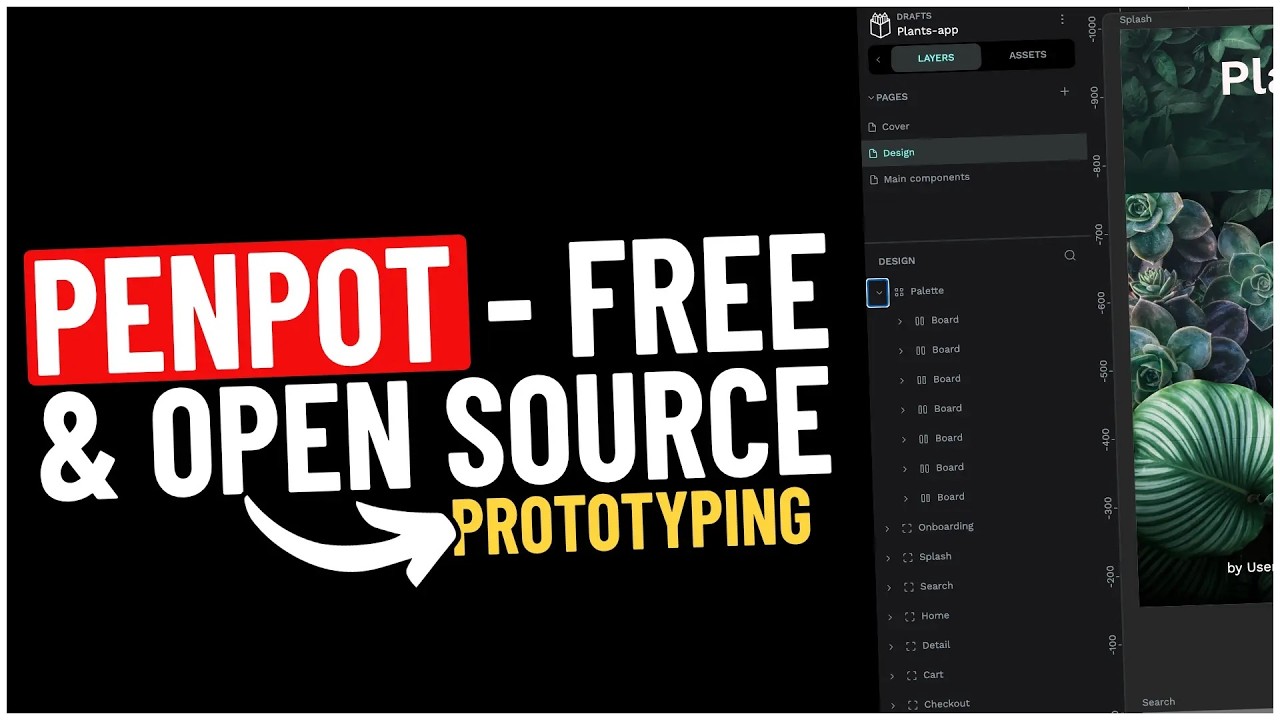
I have been running Penpot as the self-hosted design platform for my own work and a couple of agency clients for about 18 months, and it is the only open-source design tool I will recommend in writing. This Penpot self-hosted design platform guide is the actual stack I deploy: the four-container Compose file, Caddy in front for TLS, a Postgres data volume that lives outside Docker, and the operational notes I wish someone had handed me before my first migration.
If you have looked at Figma’s pricing for a five-person design team and winced, Penpot is the credible alternative. SVG-native files, real-time multi-user editing, a Figma importer that handles 80% of basic file structure, and a Compose file that works on any 4GB VPS. The tradeoff is the plugin ecosystem and a few power-user features Figma still owns; for the rest of the work, Penpot holds up.
Roughly 30 minutes from a hardened server to a working Penpot with TLS and a first user logged in.
Why self-host Penpot instead of paying for Figma
Figma Professional at 12$ per editor per month, Figma Organization at 45$ per editor per month, and the recent AI-feature pricing creep add up fast for an agency with rotating contractors. A Hetzner CX22 with a snapshot policy runs around 60€ per year, so the break-even for self-hosting lands at roughly 3 active editors.
The honest reasons to self-host Penpot:
- Per-seat economics. Even at the small-team level, Figma’s per-editor pricing for collaborators who only occasionally edit feels punitive.
- Data sovereignty. Client design files for regulated industries (legal, healthcare, defence) where the IP cannot live on a third-party cloud.
- Vendor independence. Figma is owned by Adobe pending regulatory approval, then unowned, then maybe owned again. If your tooling decisions need to survive that kind of corporate weather, self-hosted is calmer.
- You already run a self-hosted stack. If you have Authentik for SSO, Mailcow for email, and Nextcloud for files, Penpot slots in as the design layer with shared identity.
If none of those four apply and your team is happy in Figma, stay there. I am not the kind of self-hosting advocate who tells designers to move tools for ideology.
Prerequisites for the Penpot self-hosted installation
A few non-negotiables before any of this lands on a server:
- A hardened Linux host. SSH keys only, no root login, UFW with deny-by-default. My Linux server security fundamentals post is the baseline I run on every fresh box.
- A real domain name with DNS access. Penpot needs a public hostname for HTTPS and for the file-share URLs to resolve. Cloudflare DNS is the pragmatic default.
- Server sizing. 4GB RAM is the floor for the full stack (frontend + backend + exporter + Postgres + Redis). 8GB if you expect more than 5 concurrent editors or plan to keep dozens of large files open at once.
- Storage. Penpot’s assets volume grows with uploaded images. Plan 50GB on the data disk for a small team, 200GB if you do a lot of high-res photography work.
- An SMTP relay. Mailcow, AWS SES, Postmark, or a transactional provider. You can run Penpot without SMTP, but invites and password resets stop working, which is fine for a one-person setup and painful for everything else.
I run production Penpot instances on Hetzner CX22 (2 vCPU, 4GB RAM) for teams up to 5 designers, and CX32 (4 vCPU, 8GB RAM) when the team grows past that or when the design system is heavy on bitmap assets.
The Penpot Docker Compose stack
Here is the actual Compose file I deploy. The upstream Penpot repository keeps the canonical version current; the snippet below is what I ship into config management for new deployments.
networks:
  penpot:

volumes:
  penpot_assets:

services:
  penpot-frontend:
    image: "penpotapp/frontend:latest"
    restart: always
    ports:
      - 9001:80
    volumes:
      - penpot_assets:/opt/data/assets
    depends_on:
      - penpot-backend
      - penpot-exporter
    networks:
      - penpot
    environment:
      - PENPOT_FLAGS=enable-login-with-password

  penpot-backend:
    image: "penpotapp/backend:latest"
    restart: always
    volumes:
      - penpot_assets:/opt/data/assets
    depends_on:
      - penpot-postgres
      - penpot-redis
    networks:
      - penpot
    environment:
      - PENPOT_FLAGS=enable-registration enable-login-with-password enable-email-verification enable-smtp enable-prepl-server enable-email-whitelist
      - PENPOT_REGISTRATION_DOMAIN_WHITELIST=yourdomain.com
      - PENPOT_SECRET_KEY=REPLACE_WITH_GENERATED_SECRET
      - PENPOT_PREPL_HOST=0.0.0.0
      - PENPOT_PUBLIC_URI=https://design.yourdomain.com
      - PENPOT_DATABASE_URI=postgresql://penpot-postgres/penpot
      - PENPOT_DATABASE_USERNAME=penpot
      - PENPOT_DATABASE_PASSWORD=REPLACE_WITH_GENERATED_PASSWORD
      - PENPOT_REDIS_URI=redis://penpot-redis/0
      - PENPOT_ASSETS_STORAGE_BACKEND=assets-fs
      - PENPOT_STORAGE_ASSETS_FS_DIRECTORY=/opt/data/assets
      - PENPOT_TELEMETRY_ENABLED=true
      - PENPOT_SMTP_DEFAULT_FROM=design@yourdomain.com
      - PENPOT_SMTP_DEFAULT_REPLY_TO=design@yourdomain.com
      - PENPOT_SMTP_HOST=smtp.yourdomain.com
      - PENPOT_SMTP_PORT=587
      - PENPOT_SMTP_USERNAME=REPLACE_WITH_SMTP_USER
      - PENPOT_SMTP_PASSWORD=REPLACE_WITH_SMTP_PASSWORD
      - PENPOT_SMTP_TLS=true

  penpot-exporter:
    image: "penpotapp/exporter:latest"
    restart: always
    networks:
      - penpot
    environment:
      - PENPOT_PUBLIC_URI=http://penpot-frontend
      - PENPOT_REDIS_URI=redis://penpot-redis/0

  penpot-postgres:
    image: "postgres:15"
    restart: always
    stop_signal: SIGINT
    volumes:
      - /srv/penpot/db:/var/lib/postgresql/data
    networks:
      - penpot
    environment:
      - POSTGRES_INITDB_ARGS=--data-checksums
      - POSTGRES_DB=penpot
      - POSTGRES_USER=penpot
      - POSTGRES_PASSWORD=REPLACE_WITH_GENERATED_PASSWORD

  penpot-redis:
    image: redis:7
    restart: always
    networks:
      - penpot
The values that need to change before you bring this up:
PENPOT_REGISTRATION_DOMAIN_WHITELISTcontrols which email domains can register. Set it to your own domain so a stranger cannot self-register on a publicly reachable instance. Comma-separate multiple domains.PENPOT_SECRET_KEYsigns sessions. Generate once and store in a password manager. Rotating it logs every user out.PENPOT_PUBLIC_URIis the public HTTPS URL users hit in the browser. Must match the domain pointed at the reverse proxy or share links break.PENPOT_DATABASE_PASSWORDandPOSTGRES_PASSWORDmust be the same value.- The Postgres data volume is bind-mounted to
/srv/penpot/dbinstead of a Docker-managed volume. Deliberate: it makespg_dump, snapshots, and disaster-recovery rsync trivially scriptable. - Set
PENPOT_TELEMETRY_ENABLED=falseif you do not want Penpot’s anonymous diagnostic ping. I leave it on for projects I run myself and turn it off for client deployments where data sovereignty is part of why we self-host.
Generate both secrets and write them to your password manager before you continue:
python3 -c "import secrets; print(secrets.token_urlsafe(64))"Bring the stack up:
docker compose -f /srv/docker/penpot/docker-compose.yml up -dThe first start pulls four images and runs the database migrations. Watch the backend logs (docker compose logs -f penpot-backend) until you see “server started on port 6060”. On a 4GB VPS the cold start takes around 90 seconds.
Warning: Port 9001 is the frontend. Never expose it directly to the public internet without TLS in front. The default Penpot frontend listens on plain HTTP and will happily serve traffic to whoever asks. Put Caddy or NPM in front, full stop.
Firewall ports
Open these on the server’s firewall:
- 80/tcp and 443/tcp to any IPv4, handled by the reverse proxy (Caddy or NPM).
- 9001/tcp to localhost only, never exposed publicly. If you bind it differently, lock it down at the firewall.
- 22/tcp to your admin IP range only, the usual SSH hardening.
If you change the 9001 port in the Compose file, update the proxy and the firewall to match.
Reverse proxy and TLS
The fastest path to TLS on a single Penpot instance is Caddy. Two lines in the Caddyfile and Let’s Encrypt is automatic. If you already run Nginx Proxy Manager from my Portainer + NPM + Vaultwarden stack, NPM works the same way; pick whichever fits the rest of your infrastructure.
Option A: Caddy (recommended for a single-app server)
Install Caddy from the official repo:
sudo apt install -y debian-keyring debian-archive-keyring apt-transport-https curl
curl -1sLf 'https://dl.cloudsmith.io/public/caddy/stable/gpg.key' | sudo gpg --dearmor -o /usr/share/keyrings/caddy-stable-archive-keyring.gpg
curl -1sLf 'https://dl.cloudsmith.io/public/caddy/stable/debian.deb.txt' | sudo tee /etc/apt/sources.list.d/caddy-stable.list
sudo apt update && sudo apt install caddy
Edit /etc/caddy/Caddyfile:
design.yourdomain.com {
    reverse_proxy http://localhost:9001
}
Reload Caddy:
sudo systemctl reload caddyCaddy provisions a Let’s Encrypt cert on the first request. If DNS is correct and ports 80 and 443 are open, you have HTTPS in under 30 seconds.
Option B: Nginx Proxy Manager
In the NPM admin UI:
- Add a new Proxy Host. Domain:
design.yourdomain.com. Forward hostname/IP: the host running Penpot (or the container namepenpot-frontendif NPM is on the same Docker network). Forward port:9001. - Tick “Block Common Exploits” and “Websockets Support”. Websockets is required for real-time multi-user editing; without it, two designers on the same file will not see each other’s cursors.
- SSL tab: request a Let’s Encrypt cert, force SSL, enable HTTP/2, enable HSTS.
Save and hit https://design.yourdomain.com. You should land on the Penpot login screen.
Sizing reality and the operational overhead
A few numbers from the production instances I run, so you can calibrate:
- 3 active designers, 60-page design system, no exporter load: roughly 1.4GB RAM steady, Postgres around 200MB, backend 600MB. CPU under 5%.
- 5 active designers, mixed UI work, occasional PDF export: RAM jumps to 2.2GB during exporter runs (the exporter spawns headless Chrome for PDF rendering). 4GB feels tight; 8GB gives breathing room.
- Storage growth: about 12GB of asset uploads over 14 months for a 5-designer UI team. If your team handles raw photography, multiply by 5.
The operational overhead, honestly:
- Backups. Postgres dump nightly, assets rsync to off-site storage. Roughly 10 minutes to script and zero to maintain after that.
- Updates.
docker compose pull && docker compose up -donce a quarter. Penpot ships migrations cleanly; I have not had a failed upgrade in 18 months. - User support. Designers pick it up because it looks like Figma. The few tickets I get are Figma-importer issues, not hosting ones.
The threat model worth thinking about:
- Open registration on a public instance. Without
PENPOT_REGISTRATION_DOMAIN_WHITELISTset tight, anyone who can reach the URL can sign up. Strangers will use your instance for their own work. Domain-whitelist on day one. - No 2FA in the open-source build. Penpot CE does not ship multi-factor auth as of writing. Front it with Authentik via OIDC and let Authentik enforce hardware-key login. The Penpot SSO flow is straightforward.
- Backups missing the assets volume. Postgres has the file structure; the assets volume has the actual image and SVG content. Lose either and the design files are useless. Both, every night.
Verifying the deployment before you trust it
A short checklist before you onboard real users:
- Create one admin account, then disable open registration if you turned it on for testing.
- Create a project, add a file, drop in a couple of frames and a component. Refresh the browser; verify the file persists.
- Open the same file from a second browser (incognito or a different machine) logged in as a second user. Verify both cursors show in real time and edits sync.
- Trigger a PDF export from the file menu. Verify the exporter container produces a PDF in under 30 seconds.
- Run
docker exec penpot-postgres pg_dump -U penpot penpot > /tmp/penpot.sqland verify the dump completes without errors. Restore it onto a second VPS and verify the project structure comes back intact.
Step 5 is the one most people skip. Do it once with one project before you have 60 design files and a 30-page design system on the line.
When to walk away from self-hosting
If your team is 30+ designers, lives in three Figma plugins, runs FigJam workshops weekly, and depends on advanced auto-layout, stay on Figma. Penpot’s roadmap closes those gaps year over year, but year-over-year is not a deployment timeline anyone can act on this quarter.
For the rest of us, agencies running 3 to 15 designers on UI and design-system work, Penpot is the boring, working version of self-hosted design tooling. Pair it with Authentik for SSO, Mailcow for the SMTP relay, and Uptime Kuma watching the reverse proxy.
Recurring cost on my production setup is roughly 6€ per month for the VPS plus 1€ for the snapshot policy. The monthly operational burden is checking the backup log and applying the quarterly update. A few clicks a quarter, in exchange for owning the design platform end to end.